Sharepoint Migration Service in USA
Industry
Technologies


About Sharepoint Online Migration Solution
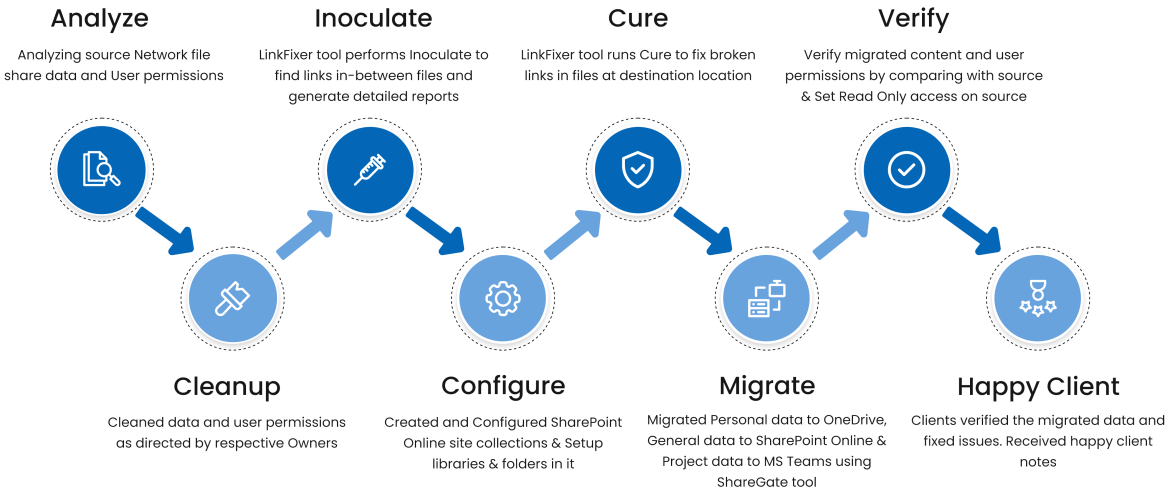
The client was using the physical servers, which were going to crash or overloaded anytime! This was due to the multiple copies that exist on the server. The client was handling 50 TB size of data, documents, and reports on a physical server. The requirement was to perform migration from Network files to SharePoint Online, Network files share to OneDrive for Business before the data get lost. However, they wanted to use the ShareGate tool to migrate files & LinkFixer to inoculate links at the source location & cure at the destination location. Or to fix the links that exist between word, excel, and pdf files.
Data scattered on various physical servers and multiple copies exist. Very old data needs to be cleaned & archived. Because of data exists on same location from long time, permissions also need to be cleaned to make sure only required users will have permissions on the data. Personal data from Network share must be moved to OneDrive for business location and running project specific data must be moved to dedicated Microsoft Teams respective channels.
Our Premium Services
As a certified IT company, Sapphire helps organizations thrive digitally by offering innovative solutions using cutting-edge tools and frameworks. Contact us to learn more!





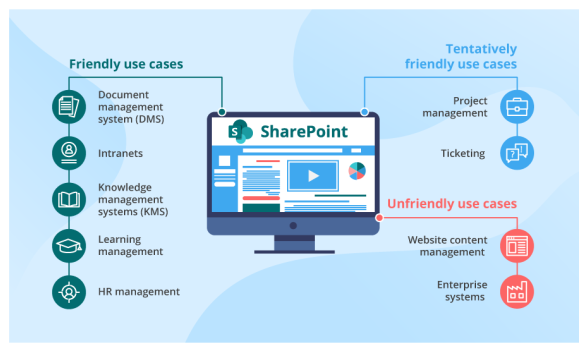
Solutions for SharePoint Intranet Development
To improve data migration the SharePoint team migrated all data from network files share to SharePoint Online. With this deployment, many departments will be able to perform their mailing service work efficiently.
Benefits Of Sharepoint Online Migration

OneDrive For Business
Enterprise can place all their files to share and collaborate both internally and externally on any device. Users can create a folder to give access permission and sync files from OneDrive for Business and multiple SharePoint sites.

Proactive Communication
In-office 365 version, users have an advantage on upgrades and receive early updates on new releases. Microsoft provides this strategy of new updates and new features than those who use SharePoint On-Premises.

Work From Anywhere And Anytime
Office 365 and SharePoint online give mobile-friendly services wherein there is no restriction to a user for using a single device or single network. It becomes easy to track user experience in the SharePoint mobile app. Changes made offline will be uploaded once the user reconnects the internet. Users can sync content to Windows Explore too.

Secure External User Access
The SharePoint Online version provides Guest links to users for specific read or edit permissions. This helps users to set up On-Premises environment limitations that have abilities to share content with external users.

Improvement In Compliance And Security
The SharePoint Online version provides Guest links to users for specific read or edit permissions. This helps users to set up On-Premises environment limitations that have abilities to share content with external users.

IT Resource Requirement Limitations
There is no need to perform tasks such as backups, SharePoint patches, etc. while migrating from SharePoint On-Premises to online. This time can be invested for improvements in the intranet or other tasks. There is no need to buy hardware to buy since the cloud reduces all the internet resources.
Steps Involved To Achieve The Migration Solutions
Migration Tools

Success Stories
Know Sapphire journey from concept to success. Explore how we've brought ideas to life and achieved remarkable results for our clients.

Federal Forecasting App
Case Study
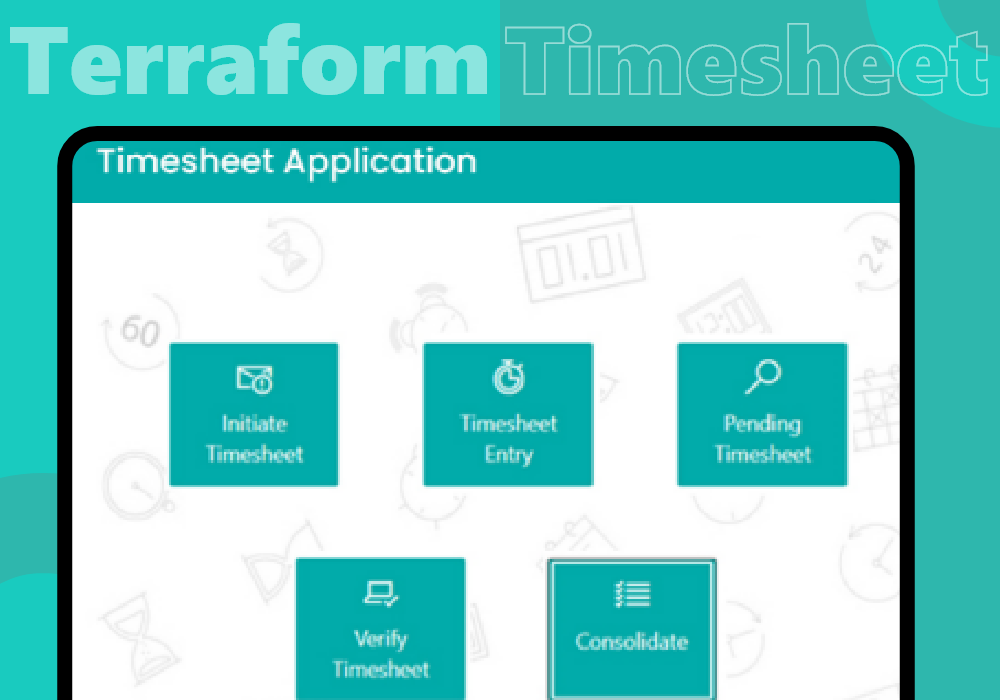
Terraform Timesheet Application
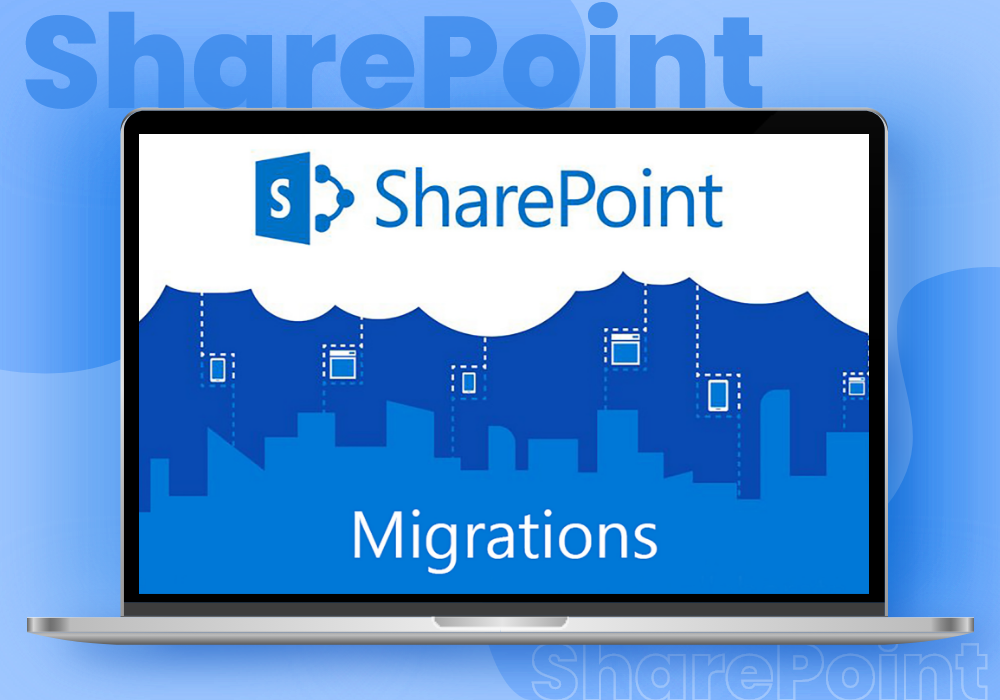
Sharepoint Migration
Years Experience
5-Star Clutch Reviews
Satisfied Clients
Want to start Projects
Get Estimation

Frequently Asked Questions
We listen to query and provide solutions that captivate users. Feel free to contact us in case of any query which is not mention below.

Years of Experience

5-Star Clutch Reviews

Fortunes 500 Companies

IT Professional

Client Retention

Industry Served

Satisfied Clients

Completed Projects





1.Can Office 365 migration services handle hybrid environments?
Yes, hybrid migrations are supported, allowing organizations to maintain both on-premises and cloud environments simultaneously during the transition.
2.How does SharePoint Workflow Automation improve efficiency?
By reducing manual effort, eliminating errors, and accelerating task completion, workflow automation significantly boosts productivity.
3.How does SharePoint integration improve collaboration?
Integration centralizes data and enables seamless communication across platforms, enhancing team collaboration and productivity.
4.Why hire a SharePoint development company? ?
A development company provides expertise in creating tailored solutions, ensuring efficient implementation, and offering ongoing support for long-term success.
5. Why choose Sapphire Software Solutions for SharePoint migration?
With 23+ years of experience, Sapphire Software Solutions has executed 1,500+ enterprise-grade migrations, received 250+ five star reviews, and worked with 15+ Fortune 500 clients. We have a verifiable track record of 0-data loss, negligible post-migration downtime and a fully optimized SharePoint environment.
6. Can Sapphire guarantee minimal disruption and downtime for our operations during a SharePoint migration?
Absolutely, we design every migration with business continuity in mind. Our proven methodologies and thorough migration planning develop phases, often during off-peak hours, when we know our client business's operations will be minimally impacted—and with designed rollback strategies should issues arise later on.
7. What kind of comprehensive support expect from Sapphire after migration is complete?
Our commitment doesn’t end with deployment. Post-migration, we offer:
- Ongoing technical support
- Issue resolution and bug fixes
- Performance monitoring and optimization
- User training and adoption workshops
- Guidance on future enhancements
This is part of our end-to-end SharePoint service model, ensuring your platform remains optimized, secure, and aligned with your evolving business needs. We aim to be your long-term technology partner, not just a migration vendor.
8. Does Sapphire handle complex or highly customized SharePoint environments, or just standard migrations?
We do both. Regardless of whether you're running a SharePoint vanilla out-of-the-box solution, or if you have a highly customized solution with third party integrations, workflows, and perhaps even a legacy or other structure our experts systematically and consistently manage these scenarios. We are able to understand the nuances of working with customizations which is why we are trusted by more clients as a SharePoint migration company than others, even in the most complex environments.

Subscribe us and Get the latest updates and news